Homelab
Things are snowballing here.
You know, it always starts the same way.
You see a video on youtube, a photo on
reddit,
start digging, and suddenly you end up with a home server.
I don’t know if this is a trend now or if it’s only on me,
but it seems that the algorithm has been pushing homelab content pretty hard lately.
I think it all started a few months ago with
this video by Ardens.
Obviously, I have always been fascinated by server racks, so I was already prone to falling into this rabbit hole.
Some years ago, I bought a Dell OptiPlex FX170 and used it with PiHole.
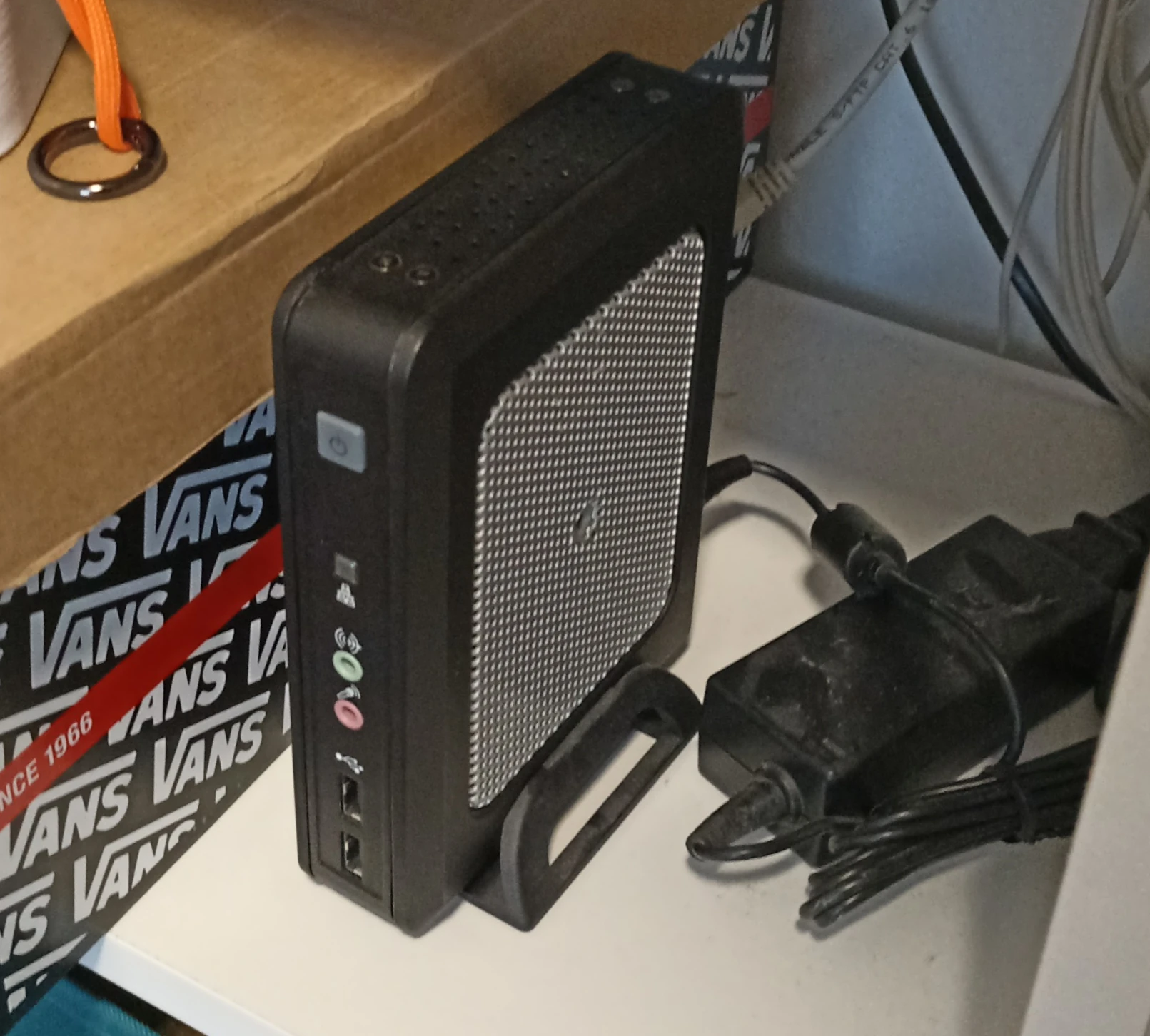
The problem with it was that it’s 32bit and it had very little flash storage, like 2Gb.
I can’t fit any modern OS on it, and it was pretty limiting.
One day, it died. Now it can’t start up anymore.
If I connect the plug, it starts heating up and emit a suspicious bzzz.
Better to just leave it in a box.
After a couple more videos, I decided to buy an old pc and start experimenting with it.
I wasn’t really sure what I would run on it, but I wanted to explore this topic hands-on.
I found this beauty near my town for only 35€.
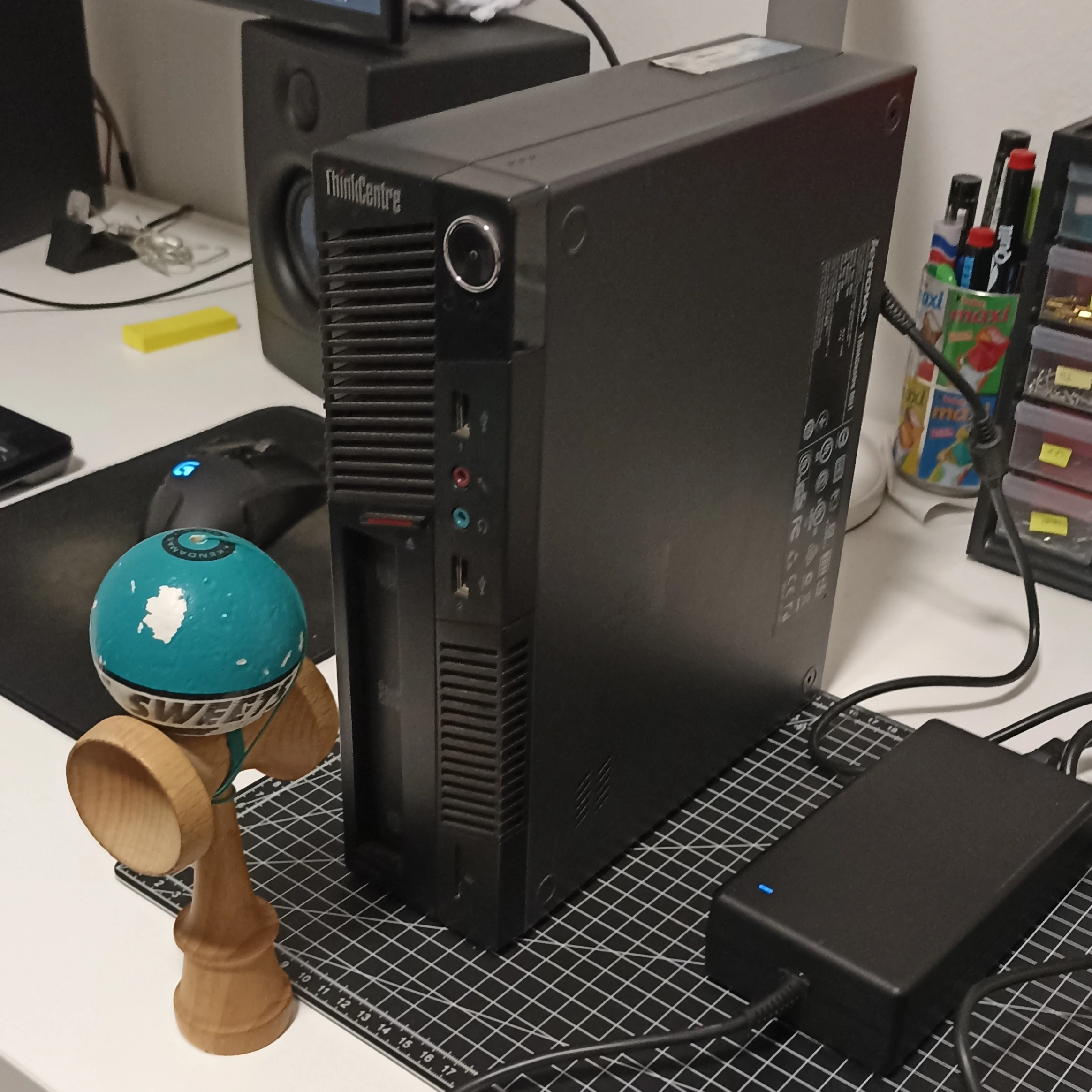
It’s a Lenovo Thinkcentre M91. The specs are:
- CPU i3-2120 3.3GHz
- SSD 500Gb
- RAM 8Gb
- No Wifi
- Intel HD graphics 128Mb
- LAN 1Gbps
Not exactly a powerhouse, but more than enough for a decent home server.
I got it and removed the stickers on the outside.
If some stickers are going to be on it, I want to choose them.
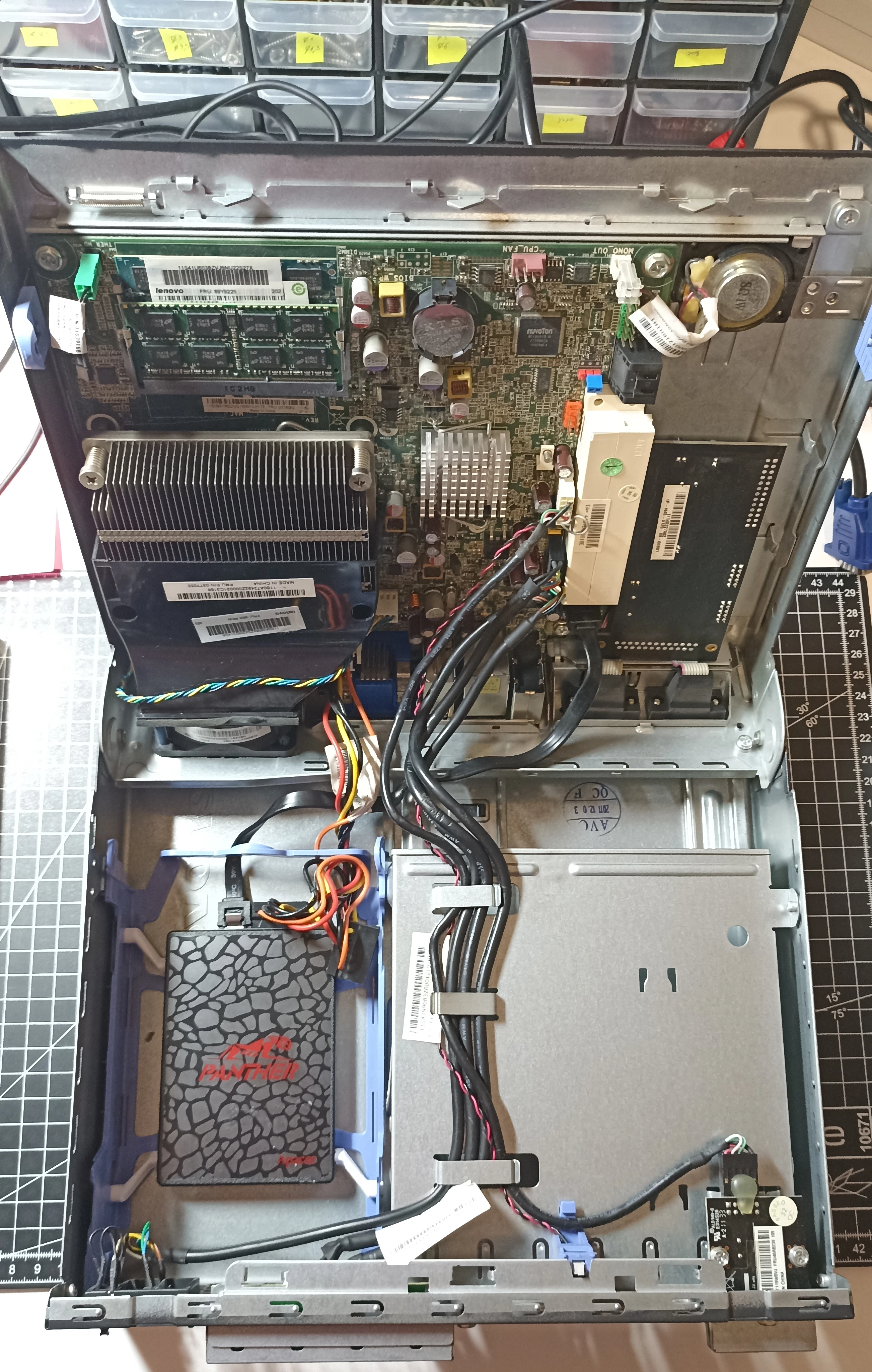
After opening it, I found that the SSD was taped to the HDD rack. lol.
I like DIY but this seems too raw.
So I printed
this adapter.
Nice and easy fix.
I cleaned the inside too and removed the useless
DVD tray
to leave some space for airflow and eventually future upgrades.
Turned it on to find out that... there already was an OS installed! Win10 embedded. Meh.
It was pretty smooth. The old user optimized it quite a lot.
I took the opportunity to update the BIOS before formatting.
Time to install Linux. The obvious (and boring) choice: Debian, headless.
I partitioned the disk as LVM as follows:
- root 35GB
- var 70GB
- swap 1GB
- srv remaining
The first thing I did was set up and install the following utilities to prepare the environment:
- Boot mode as legacy: with UEFI I cannot start it up
ssh ufw fail2ban: so the server will be ready if I decide to expose services laterneovim curl git lf trash-cli- customized
dotfilesas always
I chose neovim over gvim because it requires few dependencies
and it has the clipboard with xclip that I need.
I don’t know how people can live without it.
Then I made some optimizations. A nice and comprehensive guide I read was the siberoloji one. The tweaks I made were:
- CPU: scaling, governor, powertop —auto-tune, deactivate wifi and bluetooth
- SSD: fstrim, swappiness, noatime, smartmontools
- OS: unattended-upgrades
Then I decided to step up my DNS sinkhole game from PiHole to AdGuardHome.
To set it up, I followed the guide on
PiHole Docs
because I found it clearer than the ones specific to AGH.
In the end, they behave similarly so the router part is the same.
To check the new setup, I found a couple of websites:
adblock-tester.com and
canyoublockit.com.
Then I installed Unbound too.
I know that quad9 is good,
but I liked the idea to resolve DNS queries locally.
I checked the configuration on dnsleaktest.com.
Both AGH and Unbound were installed on the root partition without Docker.
I decided to do it this way because they are core utilities for my internet connection
and my whole family relies on it.
If a container failed to start, my whole network would lose DNS.
That’s why I prefer to run them on the bare OS.
I also decided to check the energy consumption.
Since this device will always be on, its impact on the electricity bills is a key factor.
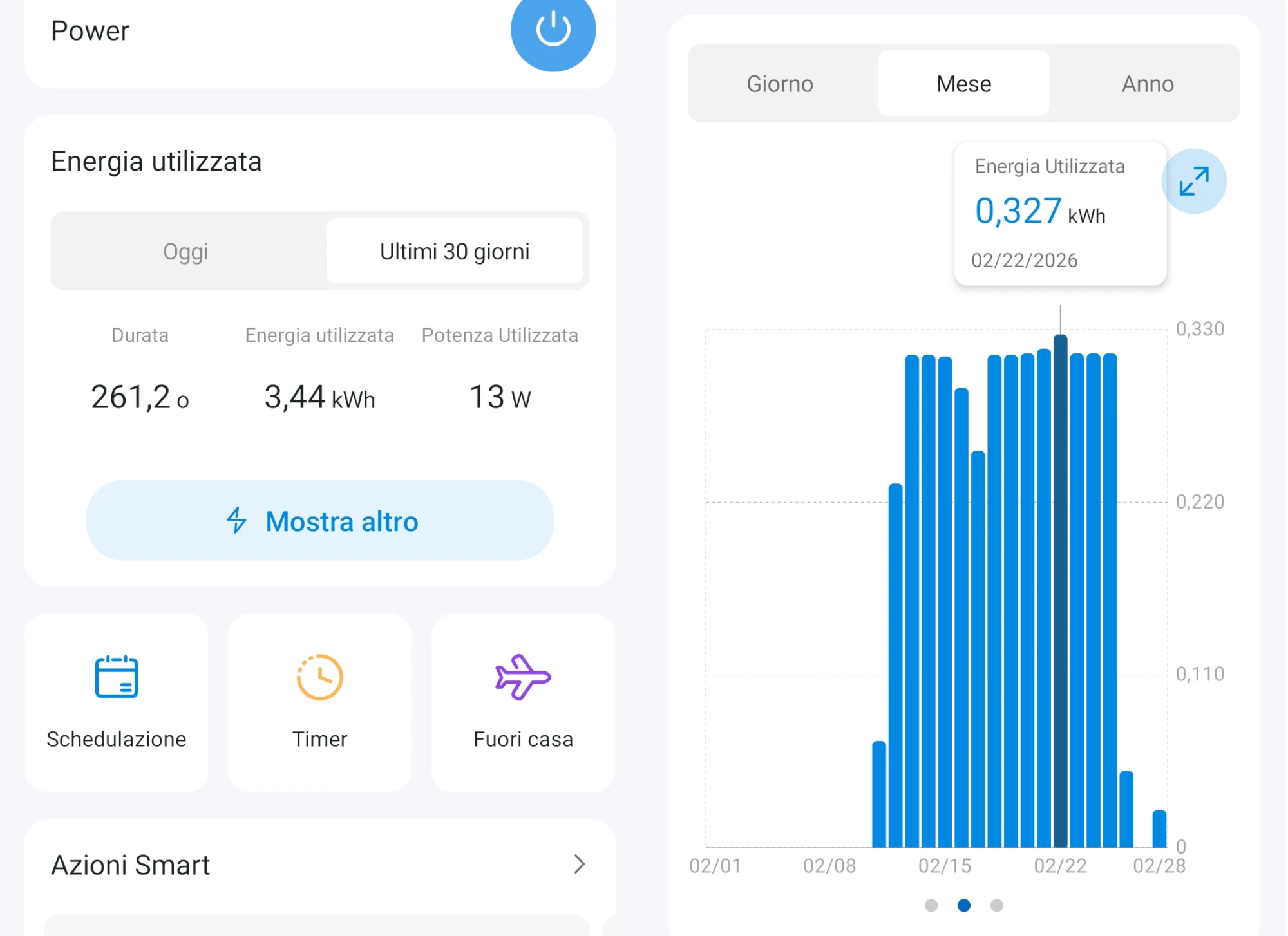
I bought a Tapo P110 Smart Plug and monitored it for a month.
It results in less than 0.33kWh on the peak day (averaging 13W over 24h).
Since my rate is less than 0.20€/kWh, this server costs me less than 0.07€/day (or 2€/month).
Not bad!
I also moved my 3D printer thermometer near the ThinkCentre’s power supply to keep an eye on it. It's currently under 25°C, but since we lack AC, the real test will be during the summer heat.
Then I stepped into the Docker mess.
Now, I want to clarify that this is my first time with Docker, so don’t follow my lead lol.
I’m trying to read the docs and threads before doing anything with very small foot steps.
There will be errors.
The main thing that was keeping me away from Docker in the beginning was the ufw+Docker interaction.
It’s well documented that Docker bypasses ufw because it manipulates iptables rules directly.
Or something similar.
But using a reverse proxy seems to solve this behavior. So I went with it.
I installed Caddy and I use it to route traffic between containers.
I also used AGH DNS rewrites so these services are reachable from my LAN with easier address.
At the moment, I’m not really done with them, so I prefer to leave a bit of suspense.
Check this blogpost in the future to see if I’ve added some.
I decided to post this now because it’s clear to me that this will be an ongoing-forever-project,
like my 3D printer one,
and postponing it will only make my memories fade.
Blog posts are editable for a reason.
Update often. Like on the main branch.
Commit often too. Unlike what we usually do on the main branch.
~qmk docs